See how your business is doing, without a second tool.
The dashboard answers an owner’s first question every morning. The 22 reports answer the rest, by date range and branch, on screen or exported to CSV and PDF.
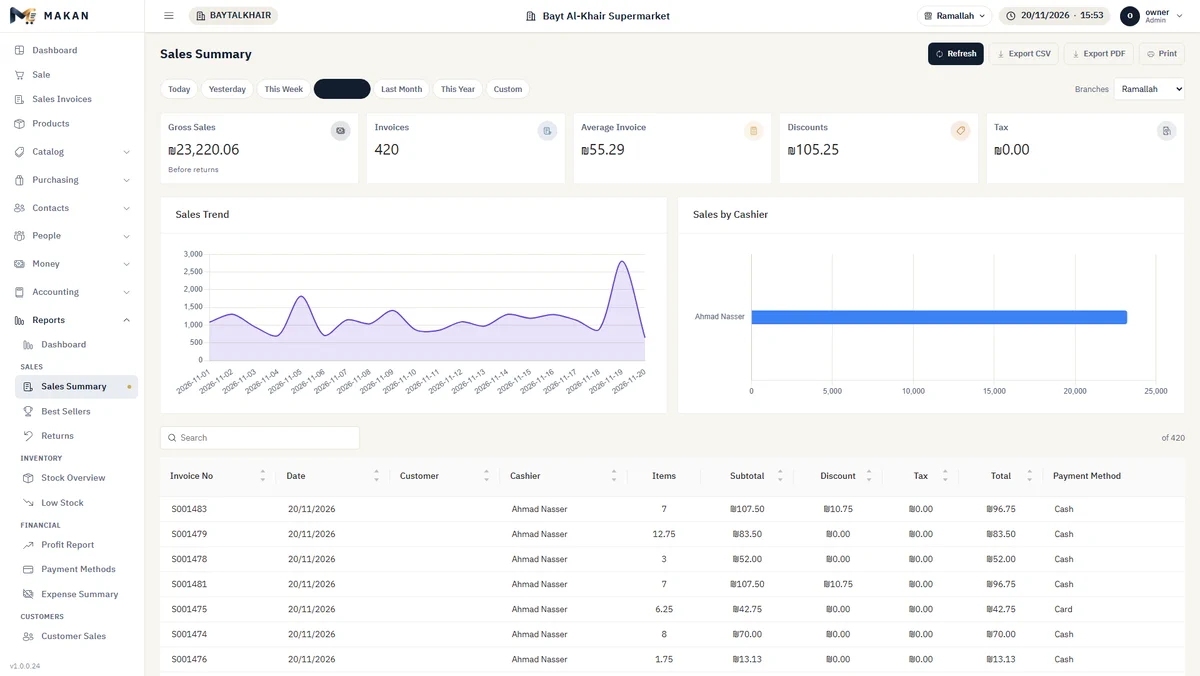
Your day at a glance
Today’s net sales, the month to date, purchases and the products that need restocking.
- See the day’s sales at a glance on the dashboard.
 MAKAN
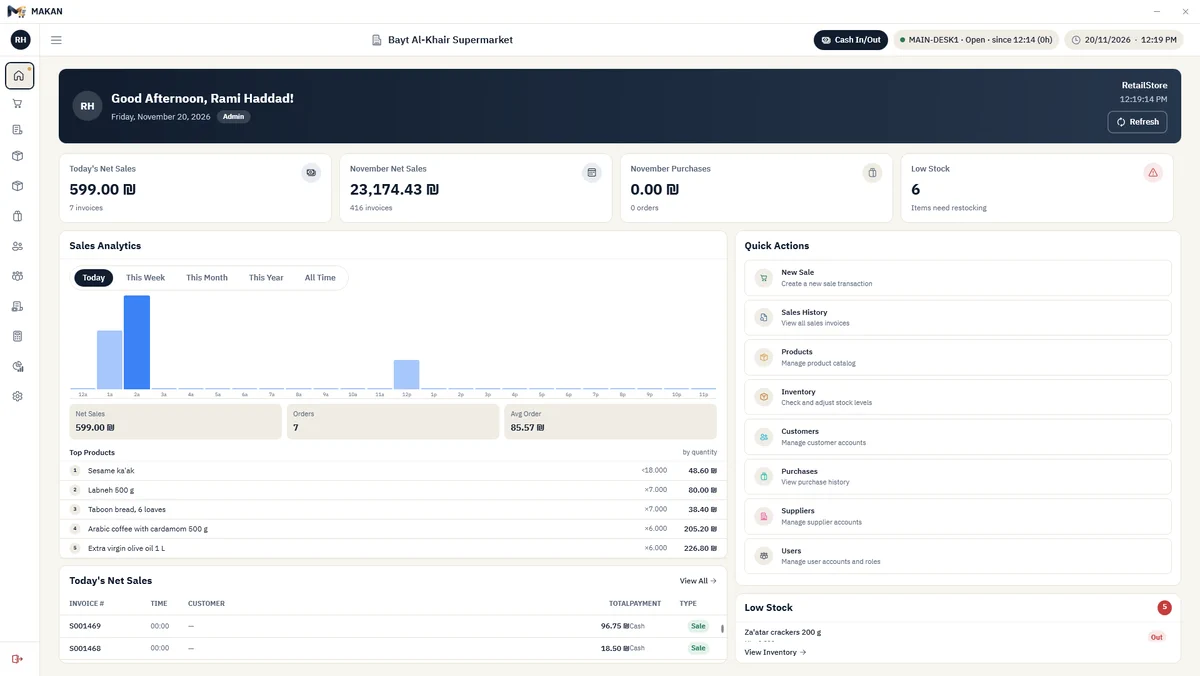
Any period, any branch
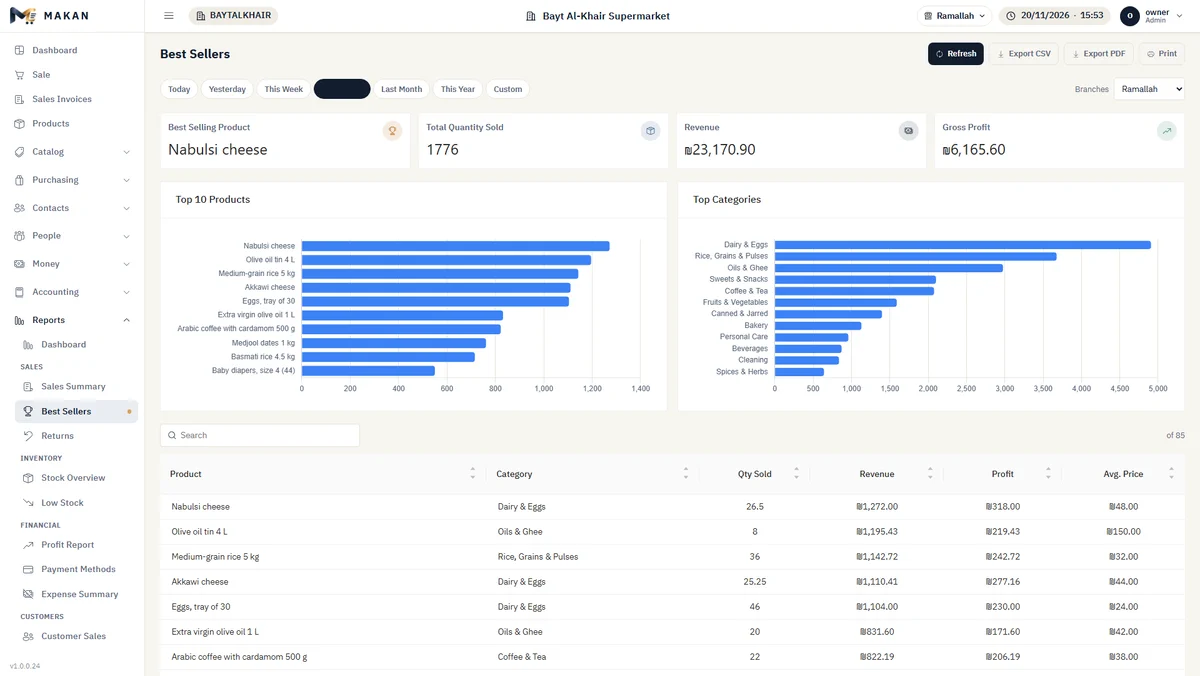
Choose a date range and a branch. Every report exports all of its rows to CSV or PDF.
- Filter reports by date range and branch.
- Export every row to CSV or PDF, not just the visible page.
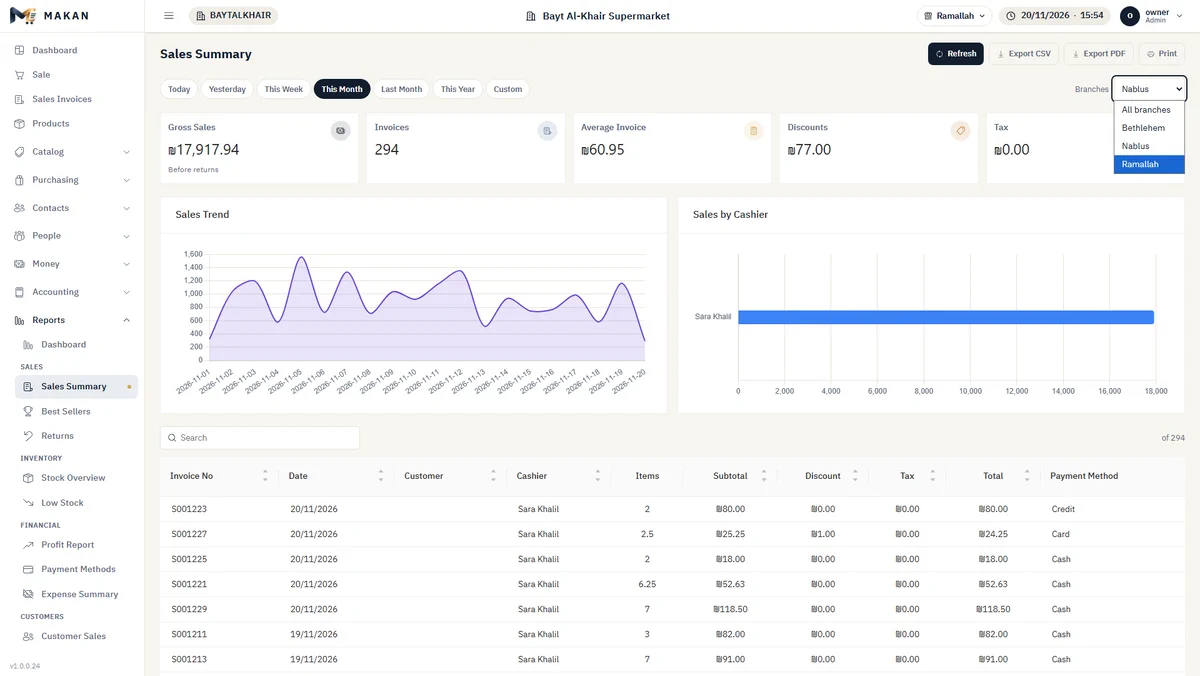
What sells, and what earns
Best sellers by quantity and revenue, profit by product, and payment methods side by side.
- See which products sell the most.
Alerts when something looks wrong
MAKAN raises an alert when a sale is cancelled, a discount is unusually large, or a closed drawer is short or over. You set the thresholds.
- Cancelled sales, repeated cancellations, large discounts and cash differences.
- Alerts are kept, and every resolution is recorded.
All 22 reports
Accounting reports appear when the Accounting module is on, and the employee report with HR.
Sales
- 01 Dashboard
- 02 Sales summary
- 03 Best sellers
- 04 Returns
- 05 Profit
- 06 Payment methods
- 07 Customer sales
Stock
- 08 Stock overview
- 09 Low stock
- 10 Purchase summary
- 11 Supplier balances
Money & people
- 12 Customer balances
- 13 Expense summary
- 14 Cash drawer sessions
- 15 Cash movements
- 16 User activity
- 17 Employees
Accounting
- 18 Trial balance
- 19 General ledger
- 20 Account statement
- 21 Income statement
- 22 Balance sheet
More of what MAKAN does
- Platform overview How it all fits together
- Point of sale Checkout, payments, returns, cash drawer
- Inventory management Warehouses, stock counts, transfers
- Purchasing & suppliers Deliveries and supplier accounts
- Customer management Accounts, credit sales, payments
- Multi-branch management Branches, terminals, permissions
See MAKAN at work with your own products.
Book a short demo. We walk you through checkout and the back office, then send a quote for your setup, branches and POS terminals.