Know your stock in every warehouse, in every branch.
Stock lives in warehouses inside each branch. Count it by the carton, move it between warehouses, see what is running low, and keep every movement on the stock ledger.
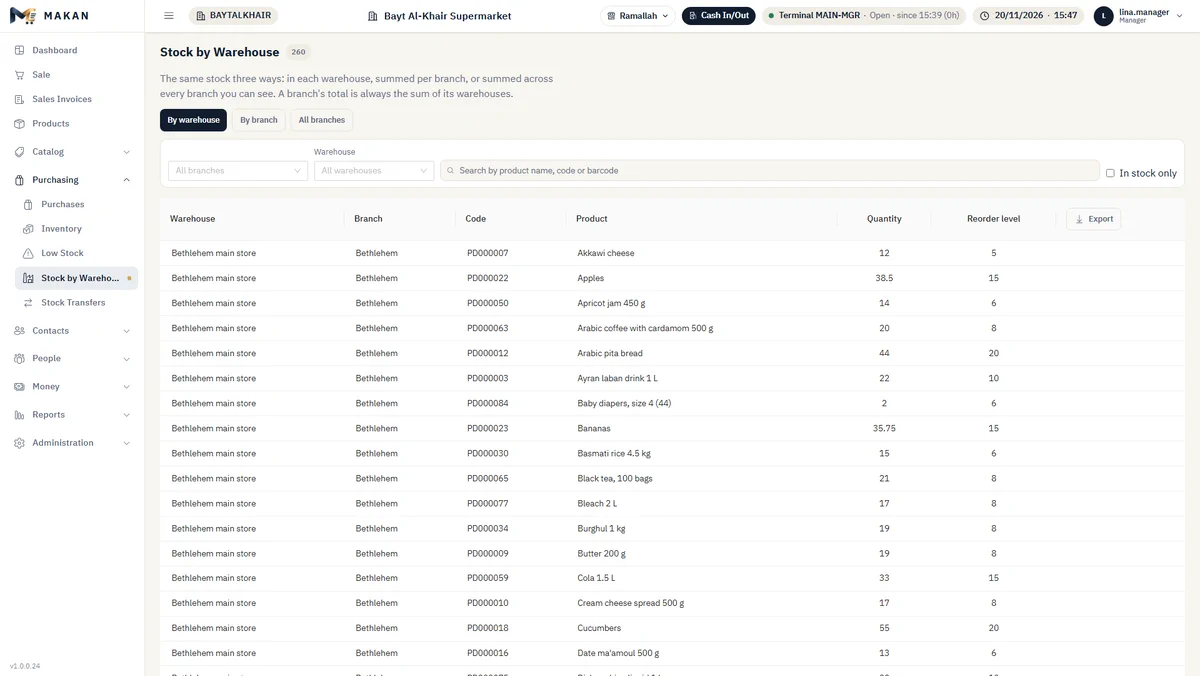
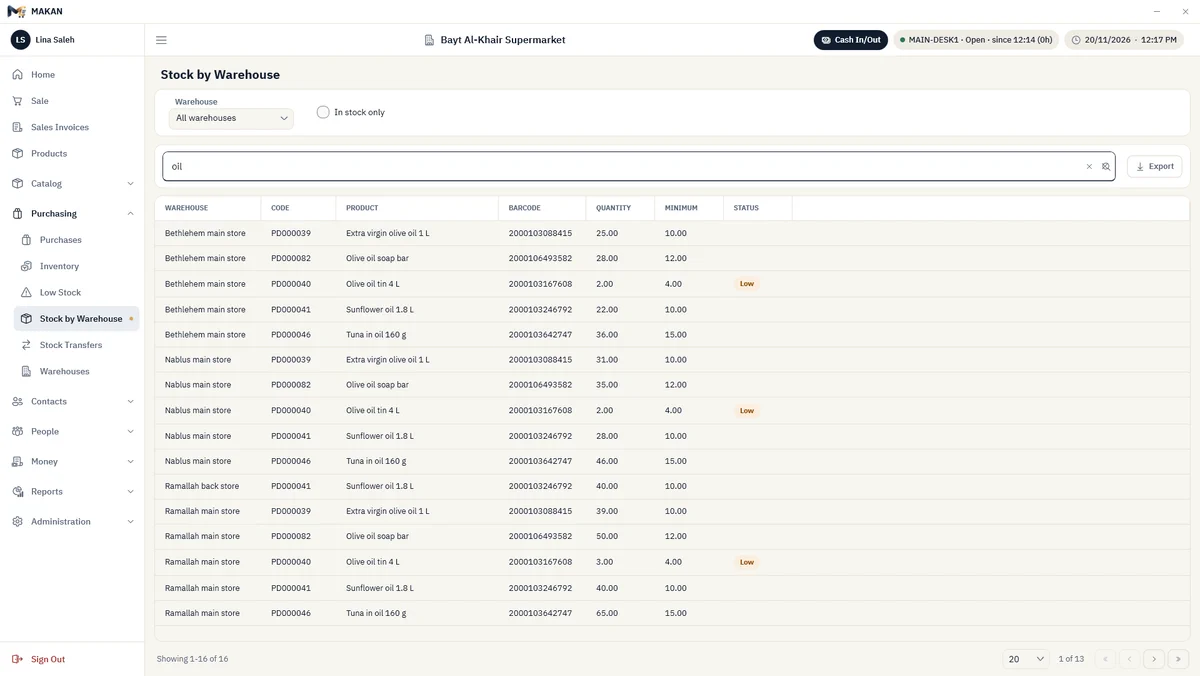
Stock by warehouse
A branch can have a sales floor, a back store and more. Branch stock is always the total of its warehouses, and each POS terminal sells from the warehouse assigned to it.
- Stock is held per warehouse, and a branch can have several.
- Damaged returns can go to their own warehouse, off the shelf.
- Every movement is written to the stock ledger.
 MAKAN
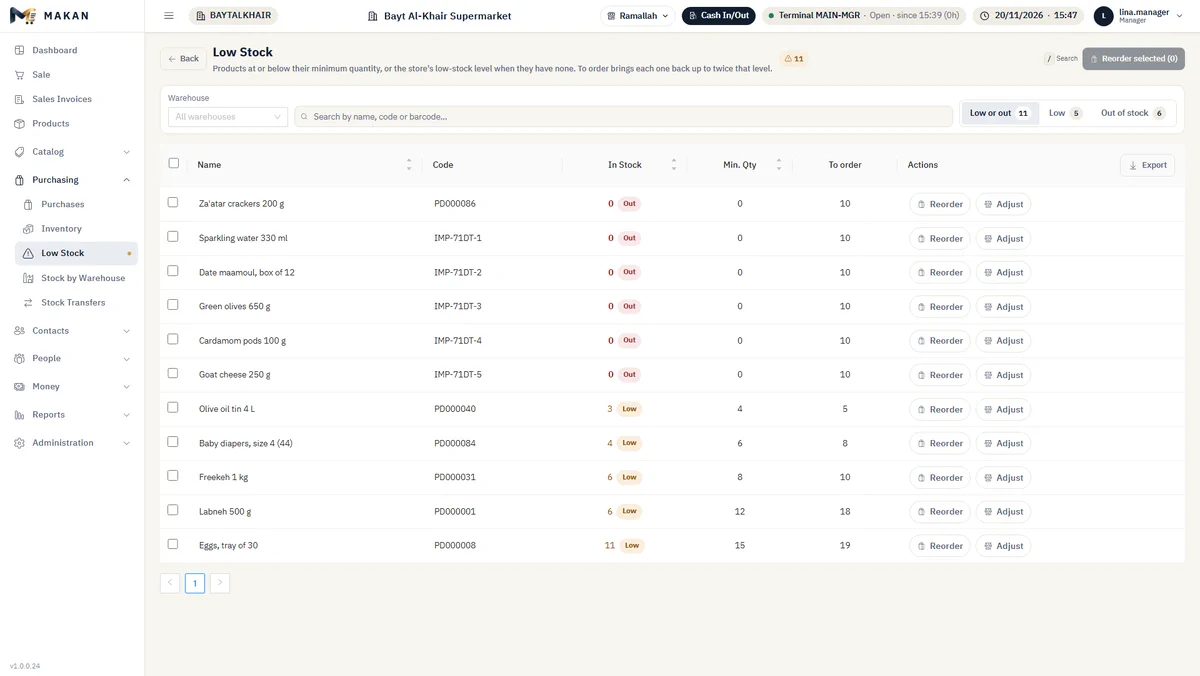
See what needs restocking
Products below their minimum quantity are listed by branch or warehouse, so your next order practically writes itself.
- Products below their minimum quantity appear on the low-stock list.
- The dashboard counts what is low or out of stock.
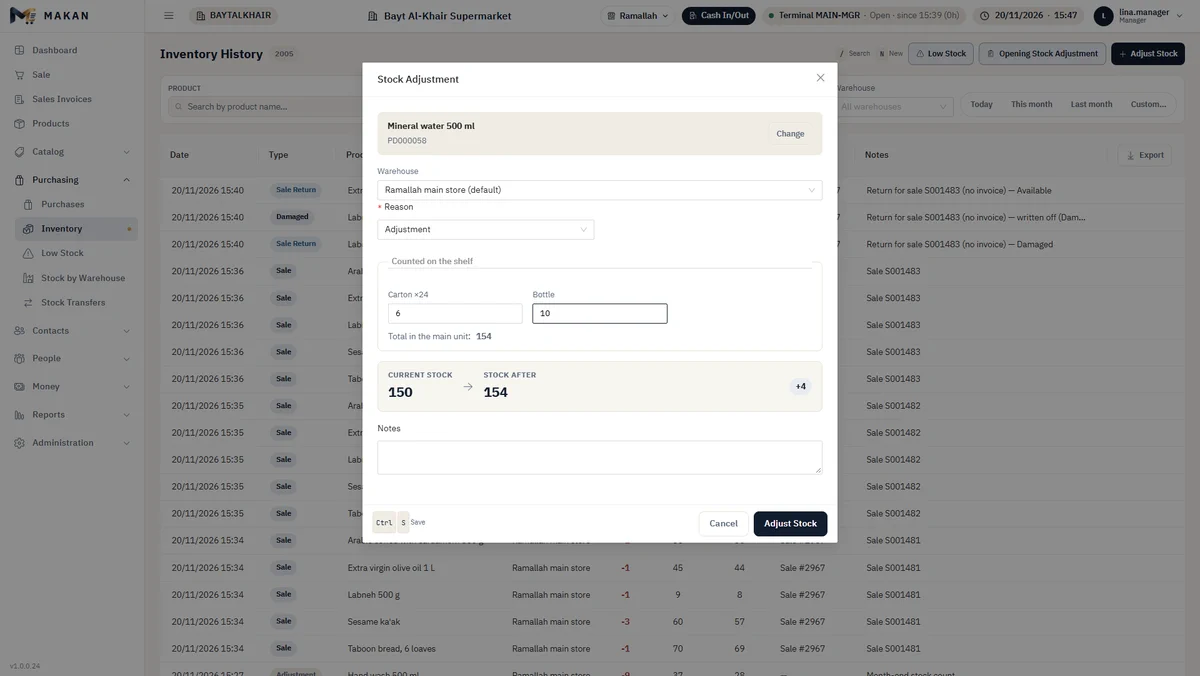
Count by the carton, not on a calculator
Type 5 cartons and 7 bottles. MAKAN converts them to pieces and notes the count on the ledger.
- Count and move stock by the carton; MAKAN converts it to pieces.
- Adjustments and recounts are recorded with a reason.
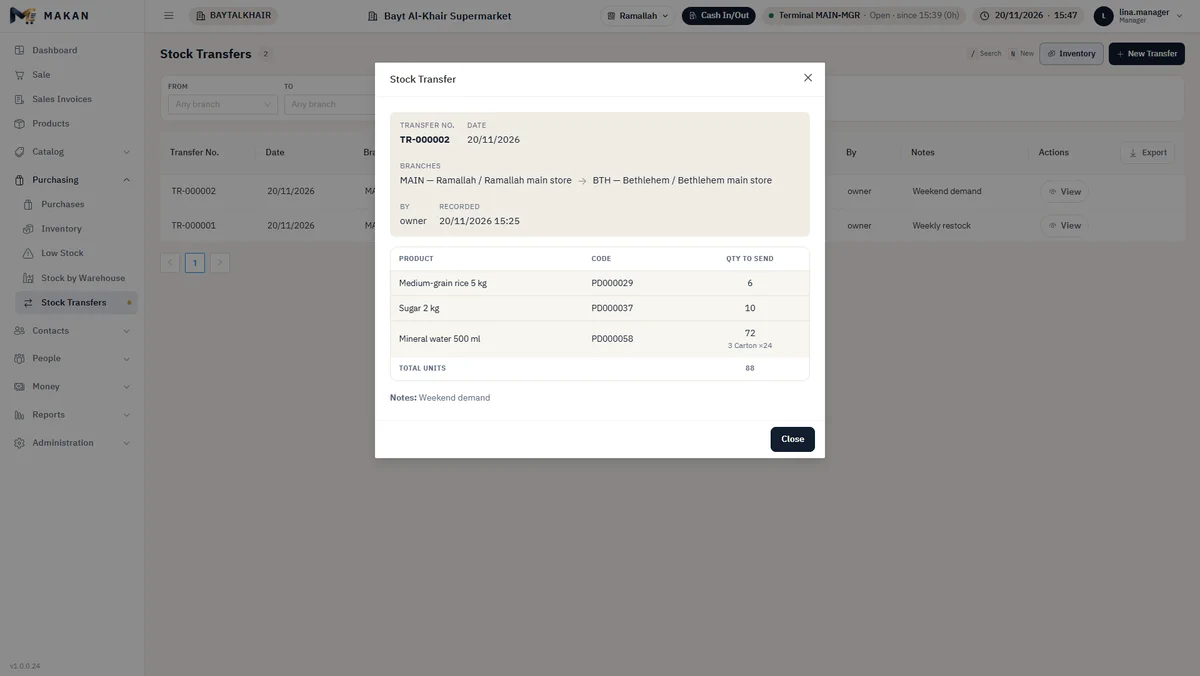
Move stock between warehouses
Transfer goods between two warehouses in the same branch, or to another branch. Both sides are recorded in one step, and stock never drops below zero.
- Adjust stock, or move it between warehouses with a transfer.
- Every transfer gets its own number.
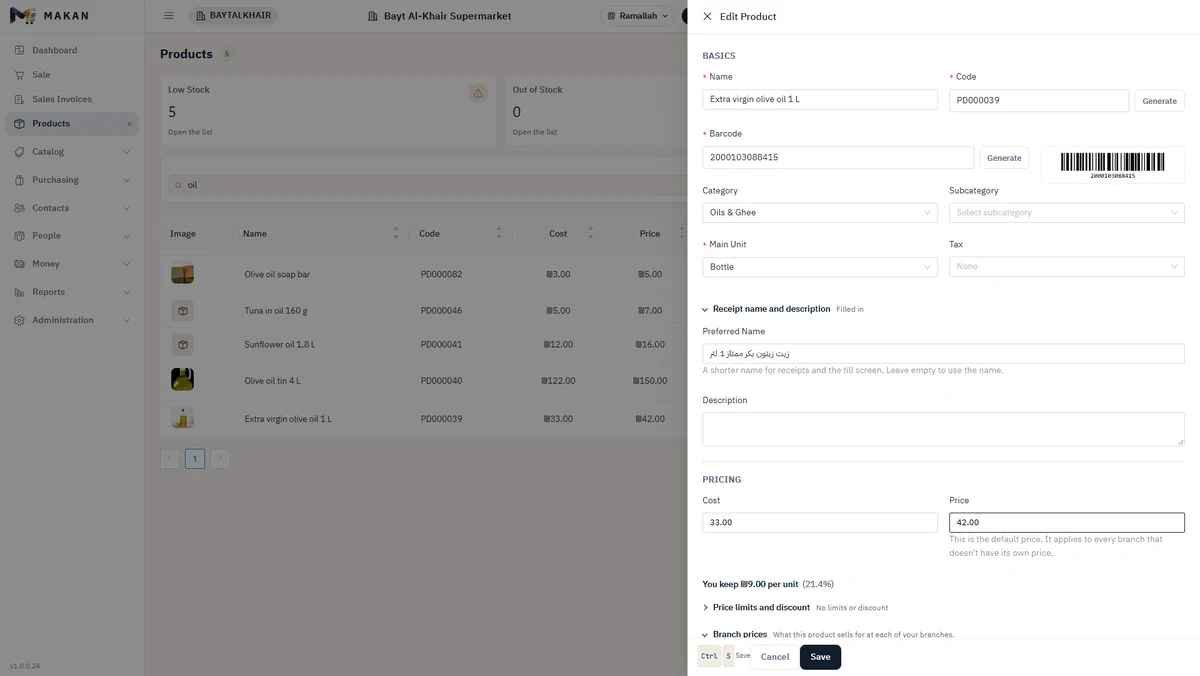
Your whole catalogue, organised
Categories, units, photos, barcodes and prices. A product can have extra packaging units, such as a carton of 24 with its own barcode and price.
- Each product has a barcode, selling price, cost, category and unit.
- Add packaging units with their own barcode and price.
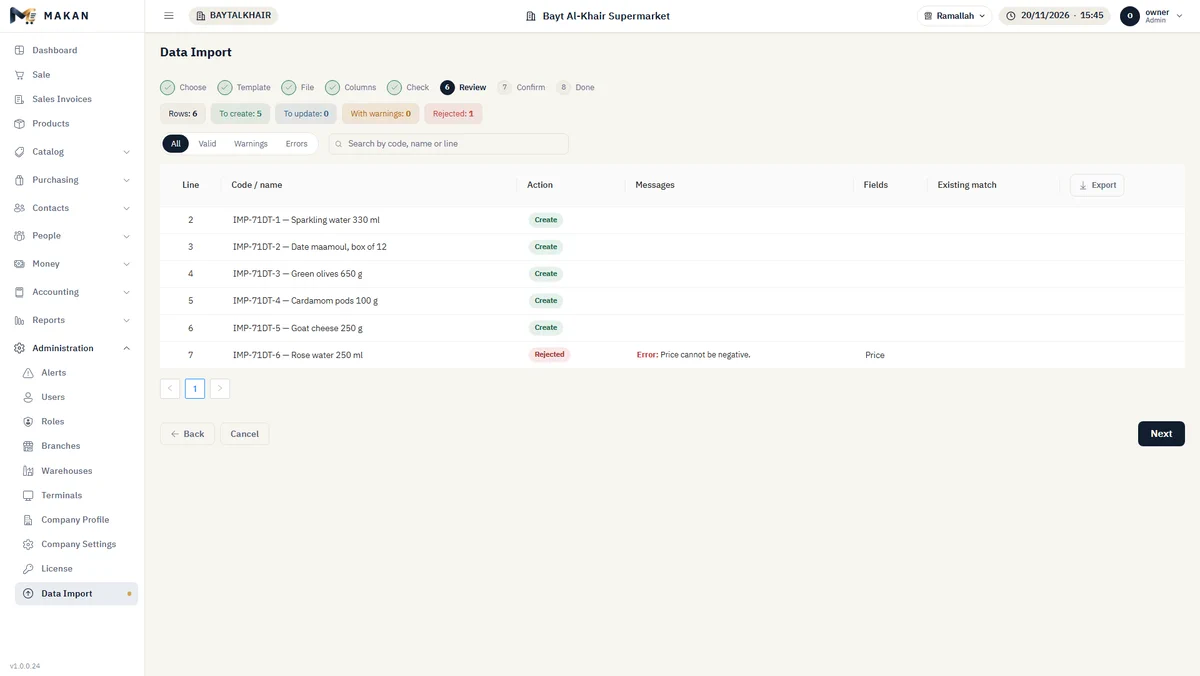
Opening stock from a spreadsheet
Just getting started? Import your opening stock from a CSV saved in Excel. Every row is checked first, and nothing is saved until the whole file is correct.
- Every row is checked before saving; rows with errors are listed with the reason.
- Columns are matched by their headers, in English or Arabic.
More of what MAKAN does
- Platform overview How it all fits together
- Point of sale Checkout, payments, returns, cash drawer
- Purchasing & suppliers Deliveries and supplier accounts
- Customer management Accounts, credit sales, payments
- Reports & analytics A dashboard and 22 reports
- Multi-branch management Branches, terminals, permissions
See MAKAN at work with your own products.
Book a short demo. We walk you through checkout and the back office, then send a quote for your setup, branches and POS terminals.